OBS Chapter Bridge for Shotcut
OBS Hybrid MP4 / Shotcut markers
1.0.2 Experimental · WindowsBring recorded chapter names into a new project copy.
Preview chapter names and times, then create matching timeline markers in a new project copy. The supported workflow keeps the original recording and project unchanged.
1.0.2 Experimental. Only the exact supported single-clip workflow is tested. Review every generated marker before relying on the output; no production-fitness guarantee is provided.
See the chapters become markers
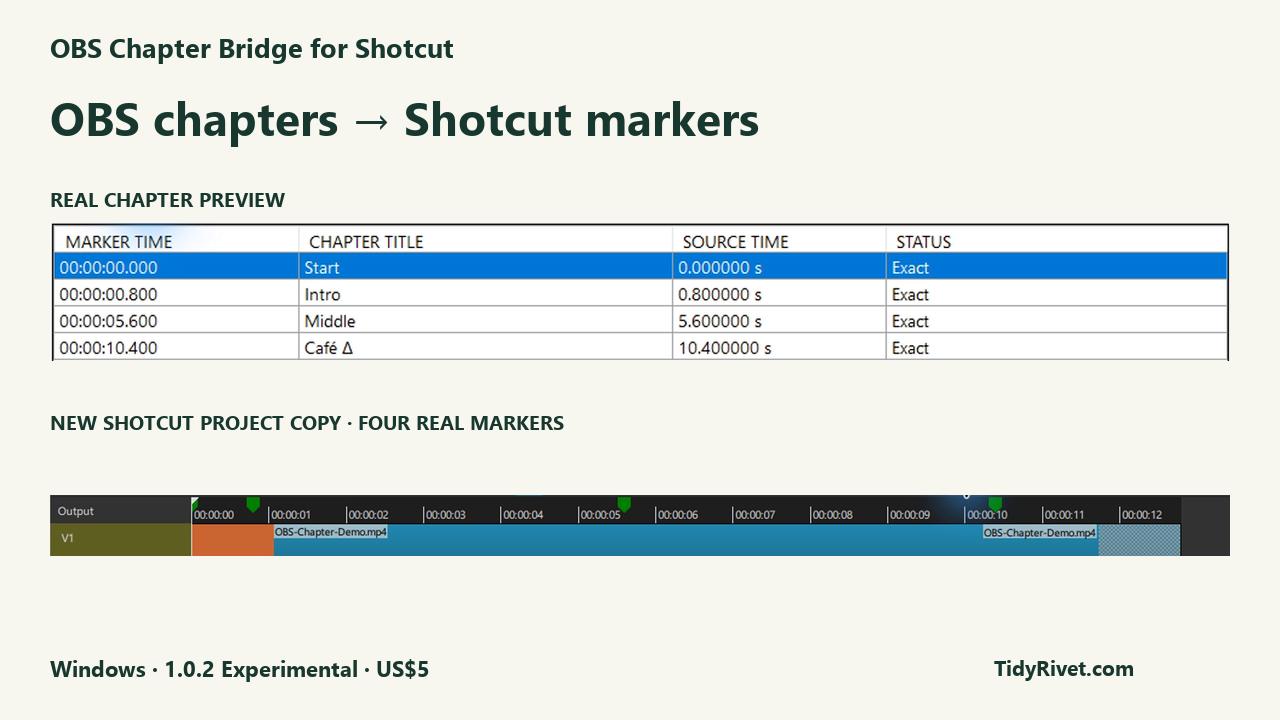
The demo is silent and captioned. It shows one matching untrimmed clip at 0:00, tested with OBS 32.2.2 and Shotcut 26.8.1. Originals remain unchanged.
Show or hide the 10-second animated preview
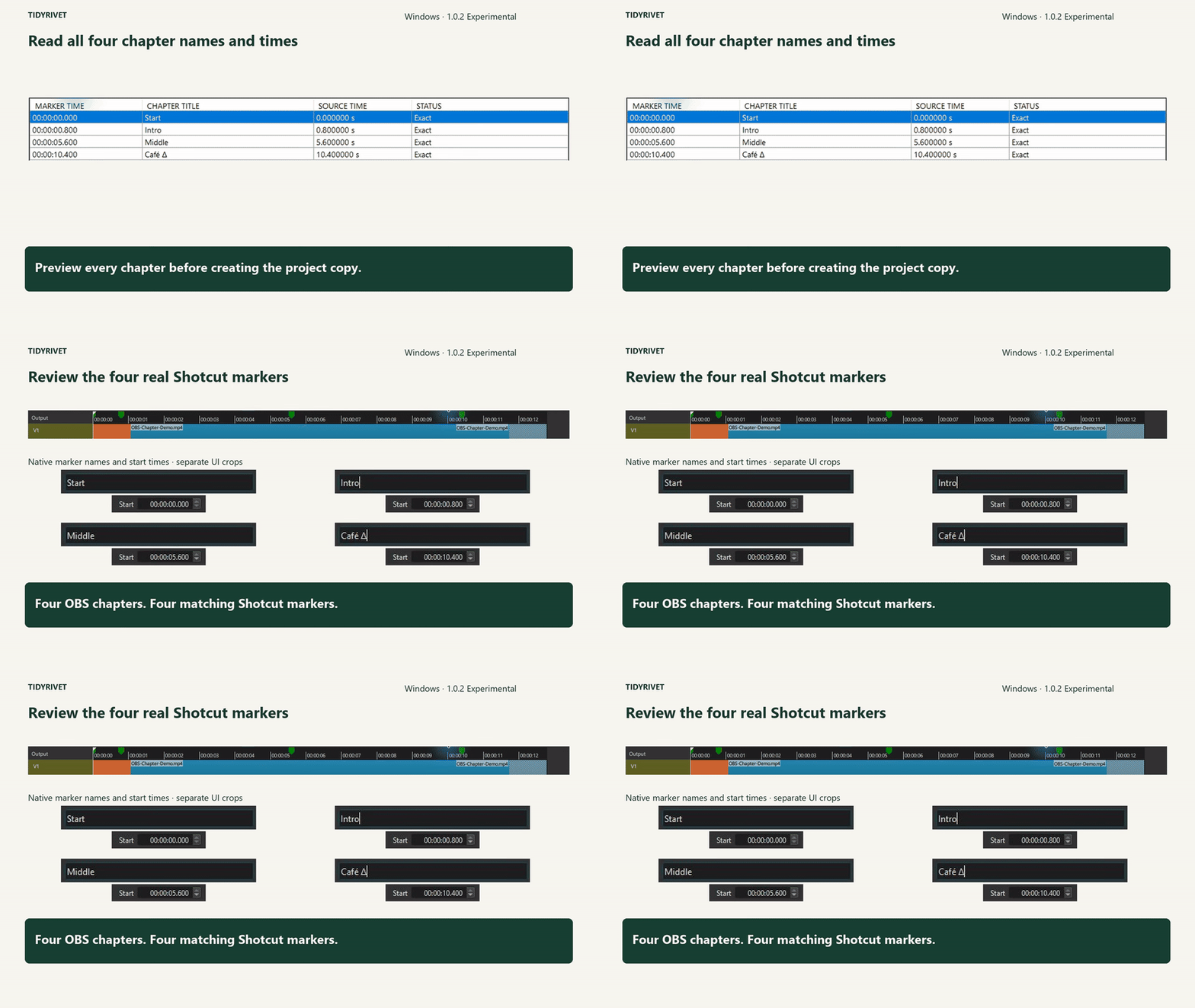
A short preview of the chapter table and matching Shotcut markers. Close this section to hide the animation. Open full-size animated preview.
Read the full demo transcript
- OBS chapter markers do not automatically appear in Shotcut.
- Select the OBS recording, OBS-Chapter-Demo.mp4.
- Select the matching Shotcut project, OBS-Chapter-Demo-Original.mlt.
- Preview every chapter before creating the project copy: Start at 0.0 seconds, Intro at 0.8, Middle at 5.6, and Café Δ at 10.4.
- New Shotcut project copy created. The original recording and project remain unchanged.
- Four OBS chapters. Four matching Shotcut markers.
OBS Chapter Bridge for Shotcut. OBS chapters → Shotcut markers. Windows · Experimental · US$5. TidyRivet.com.
Requirements
Windows with installed .NET Framework 4.8+ and a complete local Shotcut 26.8.1 installation.
- Windows with installed .NET Framework 4.8+, complete local Shotcut 26.8.1, and a finalized genuine OBS Hybrid MP4 at constant 5, 30 or 60 fps; a matching saved project with exactly one complete untrimmed matching clip on one video track at 0:00, no filters, proxies, speed changes or existing markers; ordinary local paths and a new unused output beside the original project.
What it does
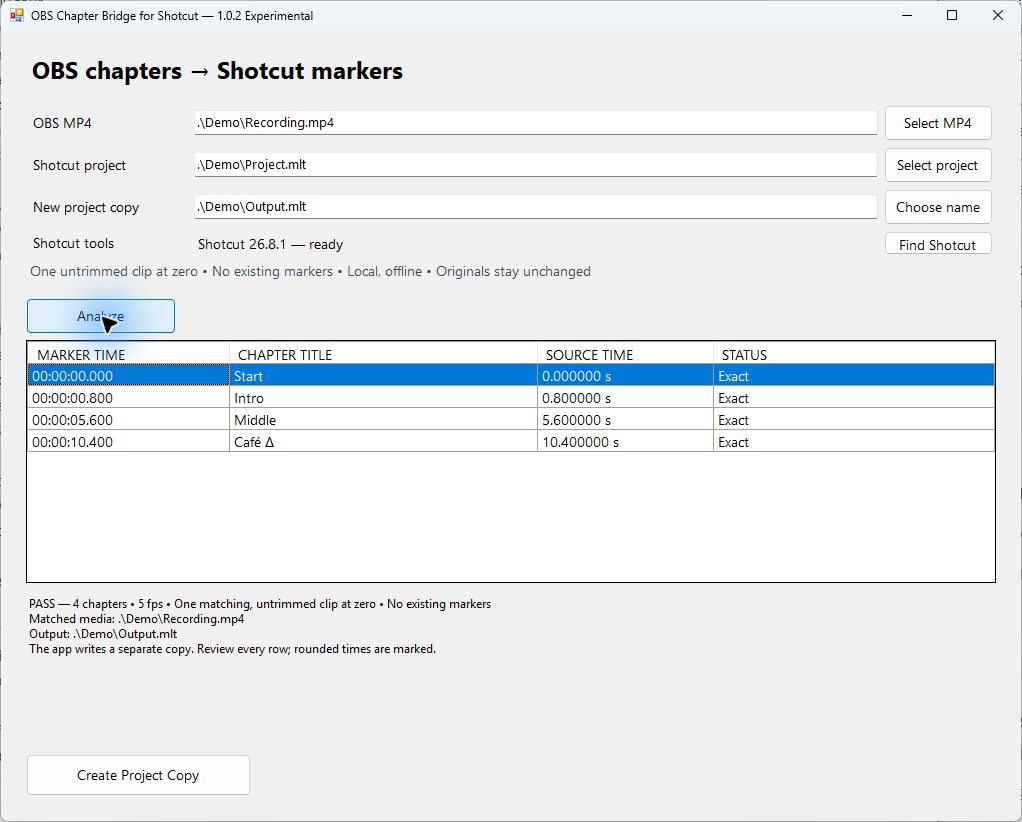
- Preview the embedded chapter names and times before creating output.
- Create a new adjacent Shotcut project copy with matching markers.
- Open the original recording and project read-only; verify input hashes before COMPLETE.
- Receive a refusal reason, supported requirement and next action when a check fails.
Read these limits first
- No MOV, arbitrary MP4 implementations, variable or other frame rates, mismatched FPS, multiple clips/tracks, trims, offsets, filters, proxies, speed changes, nested or edited timelines, existing-marker merging, network or linked paths, or unsupported saved-project representations. Chapters must be 1–1,000 distinct valid in-duration times and unique nonempty single-line names of at most 1,000 ordinary text characters; markers that overlap after frame mapping are refused. No in-place editing, media conversion, chapter inference or automatic repair.
- Compatibility is limited to the tested simple Shotcut 26.8.1 setup. Other and future versions are not automatically supported. Review the generated project before relying on it; no production-fitness guarantee is provided. Not affiliated with, endorsed by or supported by OBS Studio or Shotcut.
- Analyze refusals create no output. If Create stops, no finished copy was confirmed: do not use any output from that attempt. The app does not modify the originals; close programs writing them and Analyze again when an input changes.
Install and use
- Extract the ZIP into a writable local folder; open OBSChapterBridge.exe.
- Use a complete Shotcut 26.8.1 installation. Standard Program Files locations are checked; for a custom installation, select its shotcut.exe with Find Shotcut.
- In Shotcut, put only the original recording on one video track at 0:00. Save before editing and close that project.
- Select your MP4 and saved project in Chapter Bridge. Choose a new unused output name in the original project's folder.
- Analyze and review every title/time. Create Project Copy and wait for COMPLETE.
- Open the new copy in Shotcut and review its markers before editing.
- Each refusal gives a reason, the supported requirement and a Next action. Missing tools: select a complete Shotcut installation or install the required version separately. Edited project: create a new project using only the full original recording at 0:00. No chapters: add named chapters during a new OBS Hybrid MP4 recording. No missing chapters are guessed. Existing output: choose an unused adjacent filename; the existing file is preserved.
- Close the app and delete its extracted application folder to uninstall, keeping your own recordings and projects. The app saves no settings; Windows may retain recent-file history.
Files, privacy and trust
Local utility with no account, subscription, telemetry or automatic downloads. The app saves no settings; Windows may retain recent-file history. Close other programs writing the inputs before analyzing.
Unsigned Windows portable ZIP: OBS-Chapter-Bridge-1.0.2-Experimental.zip, 29,786 bytes. Contains only OBSChapterBridge.exe and README.txt. OBS, Shotcut and FFmpeg binaries are not redistributed.
Not affiliated with, endorsed by or supported by OBS Studio or Shotcut.
Developed with generative-AI assistance and tested on bounded synthetic workflows. This product does not use AI or a cloud service at runtime.